
Your passwords and 2FA codes, encrypted end to end.
7key is a password manager for Chrome that keeps logins and two-factor codes in one place. Everything is encrypted on your device, so the server only ever stores data it cannot read.
Free for personal use. No ads, no tracking.
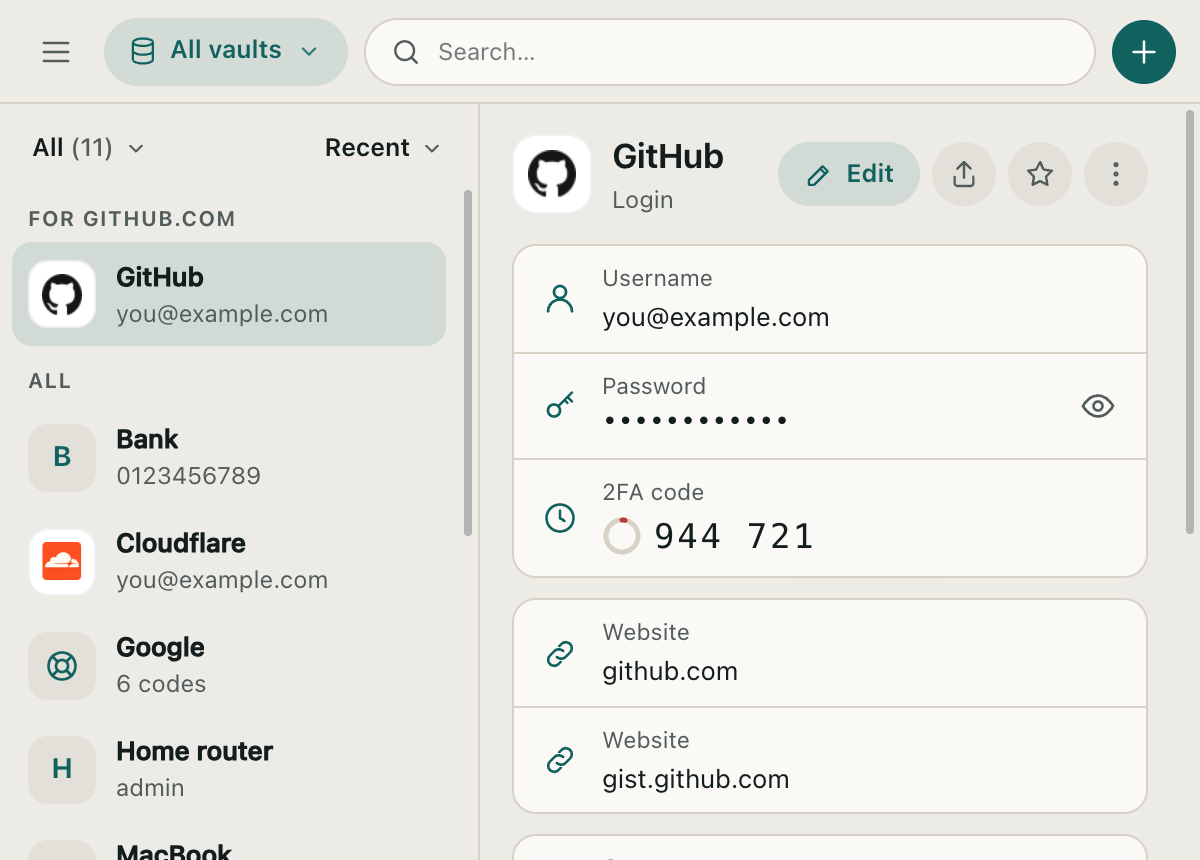
Everything you need to sign in
No phone to reach for, no passwords in notes, no copies on someone else's server.
End-to-end encrypted
AES-256 on your device. Your master password never leaves it.
2FA codes built in
Codes appear next to the login and refresh on their own.
Share links that expire
Send a login that opens once or until it expires. Revoke it any time.
Fill, save and passkeys
Optional. Suggests your logins, saves new ones and keeps your passkeys.
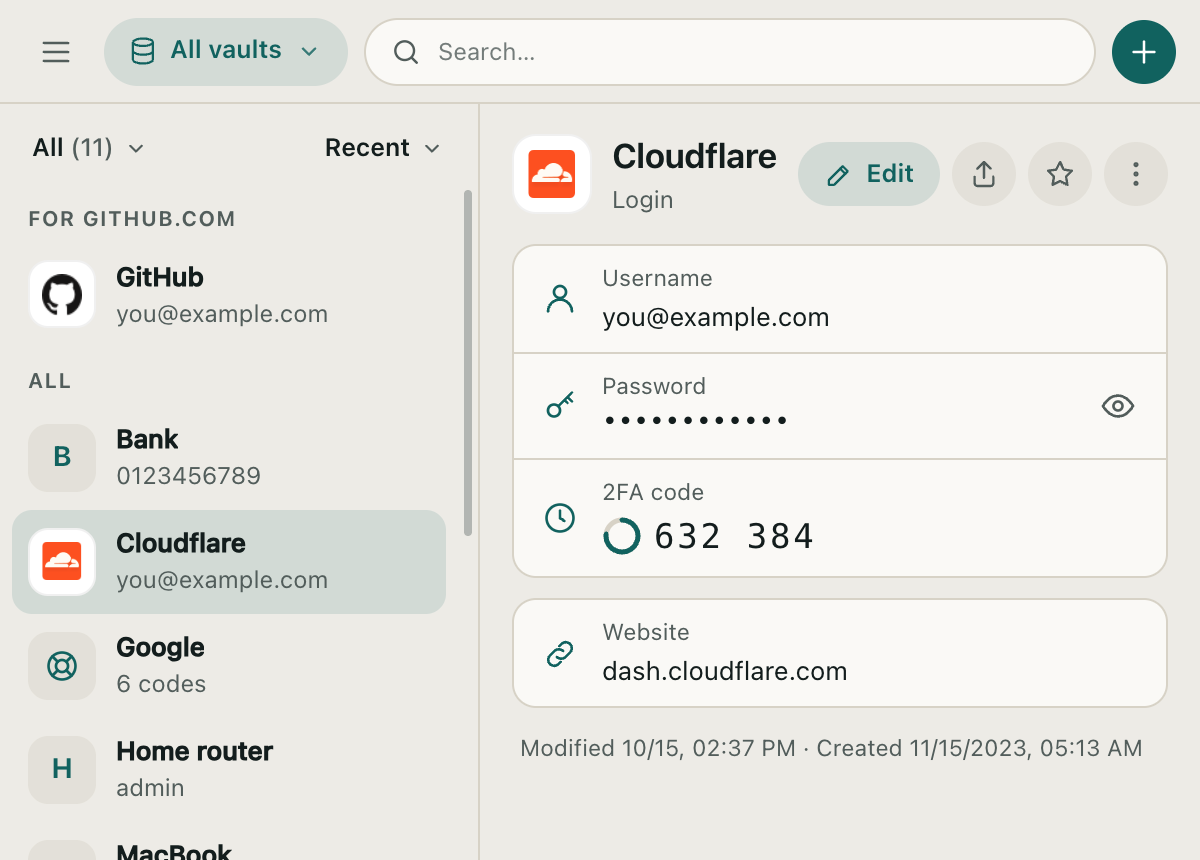
Two-factor codes, right where you sign in
Scan the QR code on the page or paste the setup key once. From then on the code is next to the login it belongs to.
- Standard TOTP, compatible with every site that uses an authenticator app
- Works offline from the copy on your device
- Corrects for a wrong computer clock
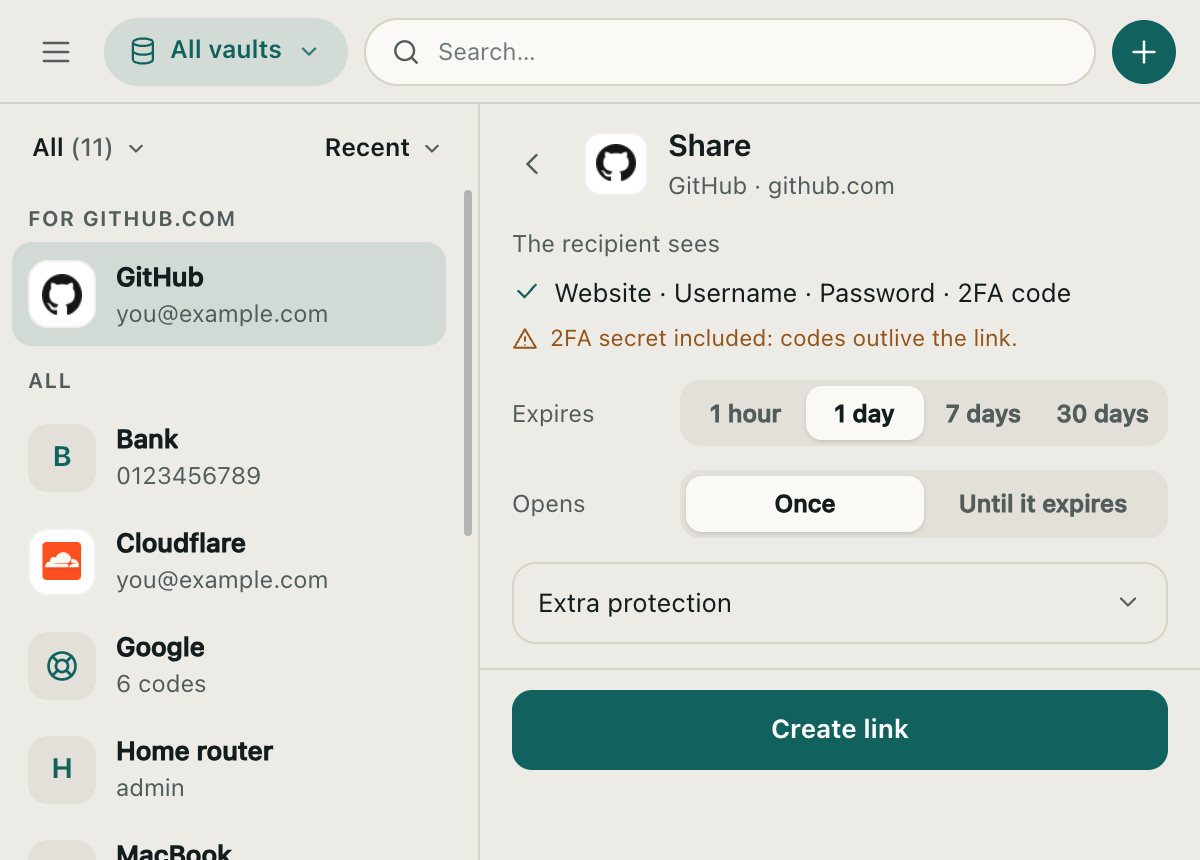
Share a login without pasting it into chat
The recipient opens a link, copies what they need, and nothing stays behind.
- Expires after 1 hour to 30 days
- Opens once, or until it expires
- Optionally limited to specific email addresses, or protected with a password
- The key is in the link, so our server cannot read what you share
How your data is protected
Your master password turns into two keys on your device: one proves who you are, the other unlocks your vault and never leaves your computer.
- Encrypted before it leaves Every login is sealed with AES-256-GCM on your device.
- Stored as ciphertext The server keeps data it has no key for. A stolen database reveals nothing to guess against.
- Decrypted only by you Only your master password can open the vault. Nobody can reset it, including us.
7key has not had an independent security audit yet. The design and its limits are public in the threat model.
Get the extension
The Chrome Web Store listing is on its way. Until then, install the beta in a minute. Works in Chrome, Edge, Brave and other Chromium browsers.
- Download 7key-extension.zip, then unzip it.
-
Enable developer mode
Open
chrome://extensionsand turn on Developer mode. - Load it Choose Load unpacked and select the unzipped folder. Pin 7key to the toolbar.
Questions
What happens if I forget my master password?
Your vault cannot be opened. Nobody keeps a copy of your master password, so there is no reset. Store it somewhere safe.
Is it free?
Yes, for personal use.
Where is my data stored?
On Cloudflare, encrypted, plus an encrypted copy on each of your devices. Details are in the privacy policy.
Should I use 7key instead of an established password manager?
If you need an audited product with apps for every platform, use one of those. 7key is for people who want something small and fast in Chrome, built around 2FA codes.